Automated Bidding Setup

To set up automated bidding, you’ll need to first establish your campaign goals and guarantee you have proper conversion trackingThe process of measuring and analyzing how many visitors to a website complete a desired action, such as making a purchase or signing up for a newsletter. in place. Choose from four main Smart Bidding strategies: Maximize Conversions, Maximize ConversionThe completion of a desired action by a user# such as a purchase# sign-up# or download. Conversions are the ultimate goal of most marketing campaigns and serve as a key metric for measuring success. Value, Target CPA, or Target ROAS, based on your objectives. You’ll want at least 20-30 conversions within 30 days before switching to automated bidding for best results. Implement conversion tracking through Google Tag Manager, verify it’s working correctly, and monitor performance using automated reporting tools. Regular optimization and adjustment of your bidding strategyA plan for determining how much to bid for ad placements in pay-per-click advertising campaigns. will help maximize campaign effectiveness. Understanding the nuances of each bidding strategy can open up your campaign’s full potential.
Understanding Smart Bidding Basics
The Most Complete Google Ads Affiliate Marketing Course of 2025
Join thousands of successful affiliates who transformed their campaigns with this proven Google Ads system. Created by a $7M super affiliate who shows actual campaigns.
The four essential Smart Bidding strategies in Google Ads leverage machine learning to optimize your campaign performance automatically. These strategies include Maximize Conversions, Maximize Conversion Value, Target CPA, and Target ROAS, each designed to help you achieve specific business goals while saving time on manual bid adjustments.
When you implement automated bidding, Google’s machine learning algorithms analyze countless signals in real-time, including:
- Device type and operating system
- User location and time of day
- Browser preferences
- Search query patterns
- Historical campaign performance
You’ll find that Smart Bidding makes instant adjustments during each auction, considering these factors to predict conversion likelihood and set ideal bids. The Quality Score of your ads and landing pages significantly impacts your bidding success. This advanced automation eliminates the need for manual bid management while delivering superior results through precise audience targetingThe practice of tailoring marketing efforts to reach a specific group of consumers most likely to be interested in a product or service. and contextual optimization. For optimal results, campaigns should achieve 20-30 conversions within a 30-day period before transitioning to Smart Bidding. Auction-time bidding enables the system to optimize bids for each individual auction in real-time.
The system continually learns from your campaign’s performance data, making it more intelligent over time. Whether you’re focusing on maximizing conversions within a budget or achieving specific ROAS targets, Smart Bidding’s sophisticated algorithms work behind the scenes to help you reach your advertising objectives more efficiently.
Choosing Your Bid Strategy
For conversion-focused campaigns, you’ll want to consider either Maximize Conversions or Target CPA if you have specific cost-per-acquisition aims. If you’re more concerned with return on investment, Target ROAS might be your best selection. Remember that certain bidding thresholds must be met – you’ll need sufficient conversion data and budget for these strategies to work effectively. The ad platform’s algorithm uses auction-time bidding to optimize bids for every single search. Some conversions may be above or below your target cost with Target CPA bidding.
Here’s a quick breakdown of primary strategies to think about:
- Enhanced CPC: Best for maintaining control while getting optimization benefits
- Maximize Clicks: Ideal for driving trafficThis is the inflow of visitors to a page. when conversions aren’t the priority
- Maximize Conversions: Perfect for getting the most conversions within your budget
- Target CPA: Great for maintaining consistent cost per acquisition
- Target ROAS: Ideal for achieving specific return on ad spend goals
Give your chosen strategy adequate time to learn and optimize – typically six weeks for best results.
Setting Up Conversion Tracking
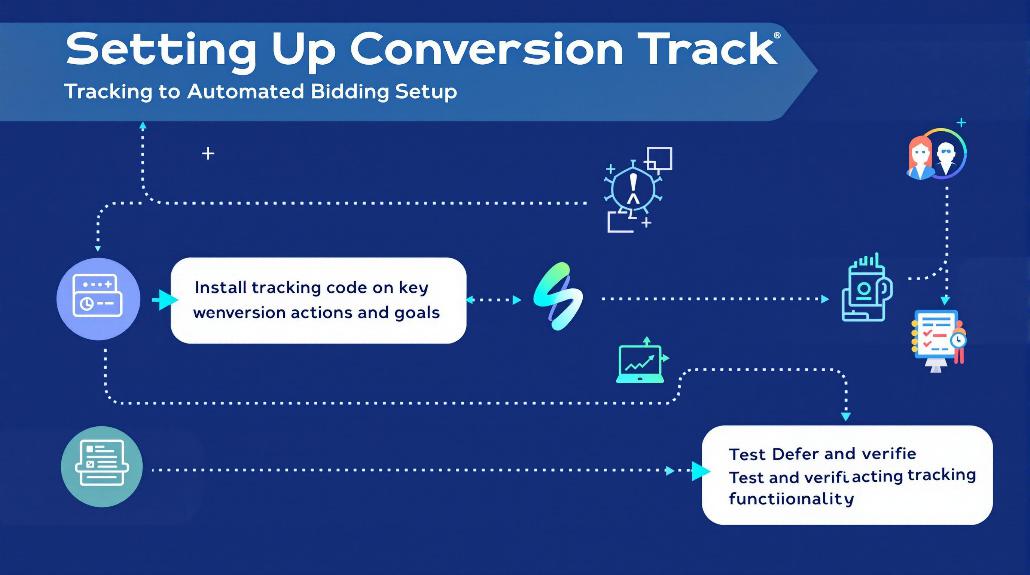
To guarantee your automated bidding succeeds, you’ll need to start by implementing conversion tracking tags correctly across your website using Google Tag Manager or direct code placement. Without proper tracking, success is nearly impossible to measure accurately.
Your next step involves following proven tracking code practices, like using consistent naming conventions and setting up appropriate conversion values that align with your business goals. The transition to first-party data will become increasingly important as third-party cookiesSmall data files stored on users’ devices to track browsing behavior and preferences. Cookies enable personalized experiences# targeted advertising# and accurate attribution in affiliate marketing campaigns. are phased out. Utilize the Google Tag Manager interface to create and manage your conversion tracking setup efficiently.
Once you’ve completed the technical setup, it’s critical to verify that your conversion events are firing properly by testing different user scenarios and monitoring the data in your Google Ads account.
Tag Implementation Steps
Proper tag implementation forms the foundation of successful conversion tracking in Google Ads automated bidding. To get started, you’ll need to implement the Google tag across your website and set up your conversion actions in Google Tag Manager (GTM). This essential step guarantees accurate tracking of user interactions and conversions. Centralized management through GTM eliminates the need for direct code modifications on your website.
Begin by creating your conversion action in Google Ads under the Tools & Settings menu. Once you’ve defined your conversion parameters, you’ll need to set up GTM with the appropriate conversion tracking tag. Here’s what to focus on:
- Install the Google tag in your website’s ” section
- Create a new tag in GTM using the Google Ads conversion template
- Configure your conversion ID and label settings
- Set up appropriate triggers for tag firing
- Test thoroughly using GTM preview mode
Remember to maintain only one Google tag per account to avoid tracking conflicts. After implementation, validate your setup using Tag Assistant to verify everything’s working correctly. Monitor your conversion data regularly through your Google Ads dashboard to confirm proper tracking and make adjustments as needed. This thorough approach to tag implementation will support your automated bidding strategies effectively.
Tracking Code Best Practices
Successful conversion tracking relies on implementing precise tracking codes that align with your campaign objectives. When you’re setting up your Google Ads tag and conversion tracking, it’s essential to follow established best practices that guarantee accurate data collection and reliable performance measurement.
- Install the base Google Ads tag across all website pages, ensuring it’s placed in the header section before the closing tag
- Implement unique conversion tracking codes for each specific action you want to monitor
- Test your conversion settings thoroughly using Google Tag Assistant to verify proper firing
- Set up enhanced conversions to capture additional user data while respecting privacy guidelines
Your tracking implementation should prioritize data accuracy and consistency. When configuring conversion settings, make sure you’re using meaningful names that clearly identify each conversion action. You’ll want to regularly audit your tracking setup to catch any potential issues early. Don’t forget to cross-reference your conversion data with other analytics platforms to validate your tracking accuracy. By maintaining clean and organized tracking codes, you’ll build a solid foundation for your automated bidding strategies to perform effectively.
Verify Conversion Events
After implementing your tracking codes, verifying conversion events becomes your next critical step in preparing for automated bidding. You’ll need to focus on proper tag setup and verification through either Google Tag Manager (GTM) or directly in Google Ads to certify accurate tracking of your conversion actions.
Start with event testing and validation to confirm your conversion events are firing correctly. Use GTM’s preview mode and Tag Assistant to test events, checking that they trigger under the right conditions and parameters are passing accurately. Don’t overlook to validate that your conversion linker tag is present on all pages to maintain proper tracking attribution.
For conversion event configuration, you’ll need to:
- Define specific conversion actions in Google Ads
- Choose between standard or custom events based on your needs
- Set up Enhanced Measurement in GA4 for basic tracking
- Configure more complex setups through GTM if needed
Remember to monitor your conversion data through GA4’s RealTime report and DebugView. While it may take up to 24 hours for conversions to appear in standard reports, you can use these tools to confirm proper setup immediately after implementation.
Campaign Goals and Data Requirements
Setting up automated bidding begins with clearly defining your campaign goals and guaranteeing you have sufficient data to support your chosen strategy. You’ll need to align your objectives with the right bidding approach, whether that’s maximizing conversions, achieving a target ROAS, or focusing on specific cost-per-action goals. Your campaign’s success depends heavily on having quality conversion data and sufficient historical performance metricsKey performance indicators used to measure the success of affiliate marketing efforts, such as conversion rate, EPC, and ROI. for the system to learn from.
Consider these essential requirements for successful automated bidding:
- Establish clear conversion tracking with properly configured goals and values
- Accumulate enough historical data (typically 30-50 conversions per month minimum)
- Set realistic performance targets based on your industry benchmarks
- Maintain consistent budget levels to support your chosen strategy
The machine learning algorithms behind automated bidding need time to analyze patterns and optimize performance. You’ll want to guarantee your conversion tracking is accurately measuring the right actions and that your campaign has enough budget flexibility for the system to test different bid levels. Remember that high-quality, first-party data tremendously improves the effectiveness of your automated bidding strategy.
Creating Portfolio Bid Strategies
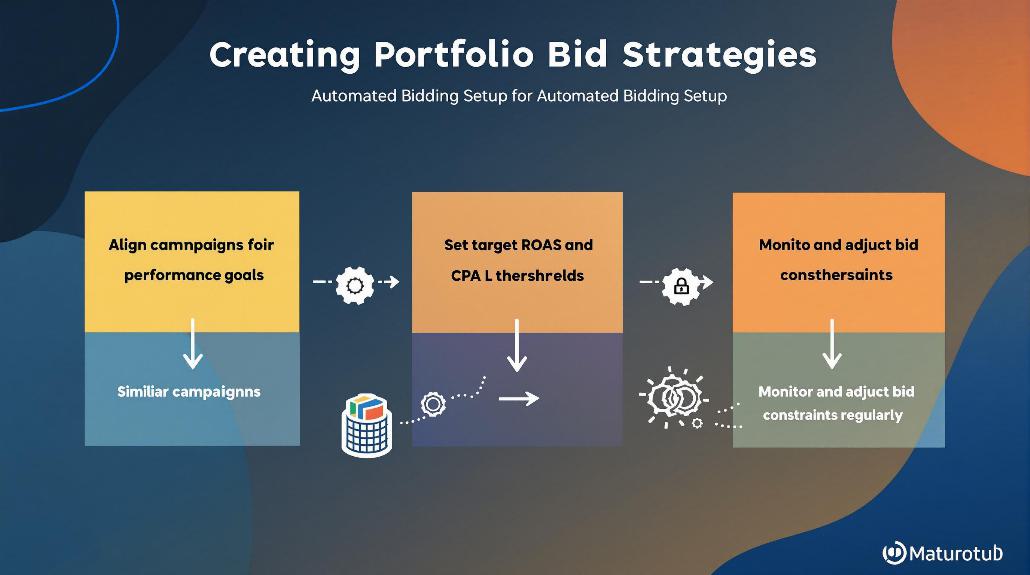
You’ll find portfolio bid strategies incredibly valuable when you’re managing multiple campaigns with similar goals, as they let you optimize performance across campaigns while saving time on manual adjustments. Portfolio strategies leverage Google’s machine learning to automatically adjust bids across your campaigns, helping you achieve better results by drawing insights from combined data and performance patterns.
Portfolio Strategy Benefits
Through portfolio bid strategies, advertisers can streamline their campaign management while leveraging advanced automation features. You’ll benefit from simplified management by controlling multiple campaigns from a central location, while advanced options give you greater control over your bidding parameters. The system’s faster learning capabilities mean you’ll see optimized performance sooner, as it combines data across campaigns to make smarter decisions.
- Time savings through automated bid adjustments that eliminate manual work
- Reduced risk of human error in bidding decisions across campaigns
- Dynamic optimization that responds to real-time performance data
- Enhanced budget efficiency through shared allocation across campaigns
Your campaigns will benefit from consistent bidding approaches while maintaining the flexibility to adapt to changing market conditions. The automated system continuously processes performance data to make informed bid adjustments, allowing you to focus on strategic planning and creativeThe visual or textual elements of an advertisement designed to capture attention and drive user action. Effective creatives are tailored to the ad format and target audience# balancing aesthetic appeal with persuasive messaging. optimization. Plus, you’ll have access to all-encompassing tracking tools that help you monitor performance across all your connected campaigns.
Cross-Campaign Performance Optimization
Creating portfolio bid strategies begins with a thorough approach to cross-campaign optimization. You’ll want to focus on establishing unified reporting systems that track performance across multiple channels while maintaining consistent brand messaging. By implementing cross-channel tracking, you can better understand how users interact with your campaigns across different platforms.
To maximize your portfolio bid strategy effectiveness, you’ll need to:
- Monitor real-time data analytics for quick adjustments
- Analyze performance by audience segmentA division of the market based on specific demographics or characteristics.
- Test different ad variations systematically
- Integrate CRM data with PPCPay Per Click, a marketing model where advertisers pay only when someone clicks on their link. campaigns
Continuous optimization is key to maintaining strong performance. You should regularly review your consolidated performance metrics and adjust your bidding strategies based on data-driven insights. This includes reallocating budgets dynamically across campaigns and platforms to achieve the best possible ROIReturn on Investment, a key performance indicator calculated as a percentage by dividing profit by cost and multiplying by 100..
Remember to maintain flexibility in your approach – what works for one campaign mightn’t work for another. By focusing on portfolio-level insights, you can identify trends and optimization opportunities that mightn’t be visible when looking at campaigns in isolation.
Real-Time Bidding Optimization
Real-time bidding optimization stands at the forefront of modern digital advertising, enabling advertisers to compete for ad impressions within milliseconds of availability. Your bid strategy must adapt instantly to changing market conditions while maintaining ideal conversion rates through real-time optimization. This sophisticated process leverages machine learning algorithms to analyze vast amounts of data and make split-second bidding decisions.
To maximize your campaign’s effectiveness, you’ll need to understand these critical components of RTBReal-Time Bidding, an advertising technology where bids are placed in live auctions as ad spots become available. optimization:
- Supply-side platforms communicate with ad exchanges to facilitate instant auctions for available ad space
- Demand-side platforms analyze user data and submit bids based on your targeting parameters and budget
- The entire bidding process occurs within 100 milliseconds, from bid request to ad placement
- Real-time performance data drives continuous bid adjustments for perfect results
You can enhance your RTB performance by setting appropriate floor prices and regularly monitoring your campaign metrics. By leveraging automated bidding algorithms, you’ll save valuable time while ensuring your ads reach the right audience at the right price. The system’s ability to process multiple signals simultaneously means you’re always bidding competitively in this fast-paced advertising environment.
Performance Monitoring Tools
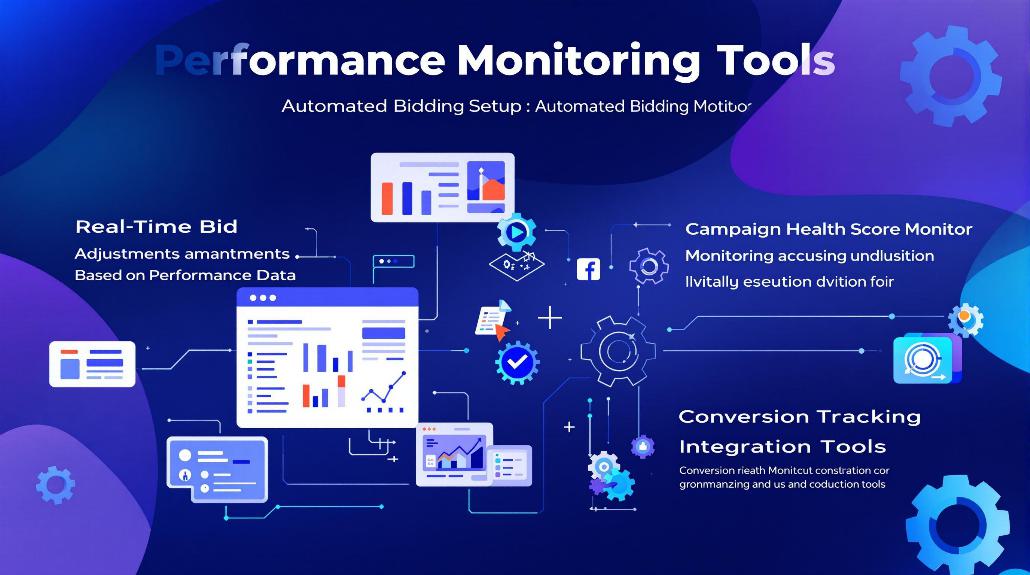
Performance monitoring tools represent five essential components for tracking and optimizing your automated bidding campaigns. When you’re managing Google Ads, you’ll want to leverage real-time data through customizable dashboards that provide instant insights into your campaign performance. Tools like Google Analytics and Voluum offer detailed tracking capabilities that help you make data-driven decisions quickly.
To maximize your campaign effectiveness, you’ll need to focus on these key monitoring features:
- Real-time dashboards that display current metrics and allow for immediate optimization
- Automated reporting systems that generate regular performance insights
- Multi-channel tracking to evaluate campaign success across different platforms
- Advanced segmentation tools for better audience targeting
- User experience analytics to improve conversion rates
Your Google Ads dashboard serves as your command center, but you shouldn’t rely on it alone. By incorporating specialized performance monitoring tools like Meltwater for brand awareness tracking and AnyTrack for conversion attribution, you’ll create a robust monitoring system. These tools work together to provide predictive analytics, fraud detection, and customizable reporting features that help you stay ahead of campaign performance and make informed optimization decisions.
Budget Allocation Guidelines
Effective budget allocation builds upon your performance monitoring foundation by ensuring your automated bidding campaigns have the resources they need to succeed. When setting up your campaign budget, you’ll want to examine both the minimum performance data requirements and your overall marketing objectives. Your budget bid strategy should align with your conversion goals while maintaining flexibility for optimization.
Start with at least three weeks of performance data before implementing automated budget allocation. Remove campaigns from shared budgets if you’re using Google Ads auction-time bidding. Set conservative initial budgets and gradually increase based on performance. Allow for daily spend variations while maintaining monthly budget targets.
Remember that your budget allocation isn’t a set-and-forget solution. You’ll need to regularly monitor performance metrics and adjust your strategy accordingly. The system needs time to learn and optimize, so patience during the initial setup phase is indispensable. Contemplate using shared budgets to automatically distribute funds across campaigns, but make sure you’ve established clear KPIs first. By following these guidelines and maintaining accurate conversion tracking, you’ll create a strong foundation for your automated bidding success.
Machine Learning Signal Factors
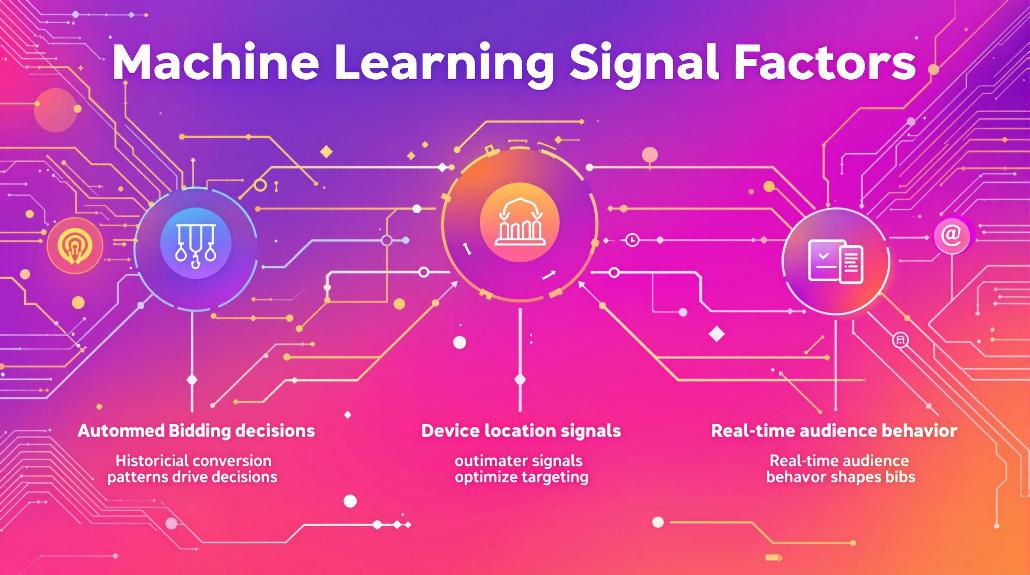
Your automated bidding success relies heavily on how Google’s machine learning interprets key signals like device type and physical location of your potential customers.
The system actively monitors time-based performance patterns, adjusting bids higher during your most successful hours and days of the week for maximum impact.
You’ll see the best results when you give Google’s AI enough data to understand how these signals work together, allowing it to optimize bids across different devices and locations throughout the day.
Device and Location Signals
Through sophisticated machine learning algorithms, Google Ads analyzes device and location signals to make precise bidding decisions in real-time. The system’s device type optimization capabilities allow you to maximize performance across mobile, desktop, and tablet devices, adjusting bids based on which platforms drive the best results for your business.
When combined with location-based optimization, you’ll see your ads perform better in specific geographic areas where your target audience is most likely to convert.
The power of cross-signal effects means you’re not just getting isolated optimizations, but rather a thorough analysis of how different factors work together. For example, the system might detect that mobile users in urban areas convert better during evening hours, automatically adjusting your bids to capitalize on these patterns.
- Mobile users in Manhattan show 30% higher conversion rates during lunch hours
- Desktop searches convert better for high-value purchases across suburban locations
- Tablet users demonstrate stronger engagement with visual ads in shopping districts
- Local “near me” searches on mobile devices peak during evening commute times
This sophisticated analysis helps target your budget where it’s most likely to drive results.
Time-Based Auction Performance
Real-time auction performance represents one of the most critical machine learning signals in automated bidding systems. You’ll need to understand how temporal dynamics affect your campaigns, as the system processes vast amounts of real-time data within strict time constraints of 80-120 milliseconds.
This includes analyzing historical data patterns and adapting to rapidly changing market conditions.
When setting up your automated bidding, you’ll benefit from the system’s ability to use advanced algorithms like RNNs (Recurrent Neural Networks) that capture time-based patterns in user behavior. These models continuously process your campaign’s performance data to make split-second bidding decisions.
Here’s what the system evaluates:
- User behavior patterns throughout different times of day
- Historical performance data across various time periods
- Real-time market condition changes
- Competitive auction dynamics
- Current campaign performance metrics
The system’s machine learning components work to balance these factors while managing latency requirements. Your campaigns will go through an initial learning period as the algorithms gather enough data to optimize performance. This dynamic approach guarantees your bids remain competitive while maintaining efficiency in real-time auctions.
Strategy Testing and Refinement
Testing and refining automated bidding strategies requires a systematic approach to guarantee ideal campaign performance. You’ll want to regularly evaluate your performance metrics while testing multiple strategies in parallel campaigns. This allows you to compare different approaches and make data-driven decisions about which strategies work best for your specific goals. Through ongoing monitoring, you can identify patterns and make necessary adjustments to optimize your campaigns.
To effectively test and refine your automated bidding strategies, follow these key steps:
- Run parallel campaigns using different Smart Bidding strategies like Target CPA and Maximize Conversions to identify the most effective approach for your objectives
- Analyze vital metrics including conversion rates, cost per conversion, and ROAS to measure strategy performance
- Ensure you’ve gathered sufficient conversion data before making strategic changes or drawing conclusions
- Make incremental adjustments based on performance data, allowing time for the system to learn and adapt
Remember to leverage auction-time signals and bid adjustments to fine-tune your strategy. You can optimize for factors like device, location, and time of day while maintaining a balance between automation efficiency and strategic control.
Frequently Asked Questions
Can Automated Bidding Work Effectively During Seasonal Business Fluctuations?
You can manage seasonal fluctuations effectively with automated bidding by using Google’s seasonality adjustments tool, maintaining consistent campaign history, and gradually adjusting promotional strength to help algorithms adapt smoothly.
How Does Automated Bidding Handle Competitor Bid Changes in Real-Time?
Your automated bidding adjusts instantly to competitor changes through machine learning algorithms, analyzing auction data and user signals to modify bids in real-time while maintaining your performance goals.
What Happens to Automated Bidding During Website Maintenance or Tracking Issues?
Your automated bidding will underperform during website maintenance or tracking issues, as missing or incorrect data disrupts the system’s ability to make informed decisions and optimize your campaigns effectively.
Can Automated Bidding Adjust for Different Profit Margins Across Product Lines?
You can adjust automated bidding for varying profitTotal affiliate earnings, calculated by subtracting total cost from total revenue generated. margins using strategies like value-based bidding and gross profit optimization, which help prioritize higher-margin products and allocate your budget more effectively.
How Do Automated Bids Respond When Daily Search Volumes Suddenly Spike?
You’ll notice automated bids struggle initially with sudden volume spikes, often overbidding as algorithms misinterpret data. Using seasonality adjusters and making gradual budget changes helps maintain performance during these periods.